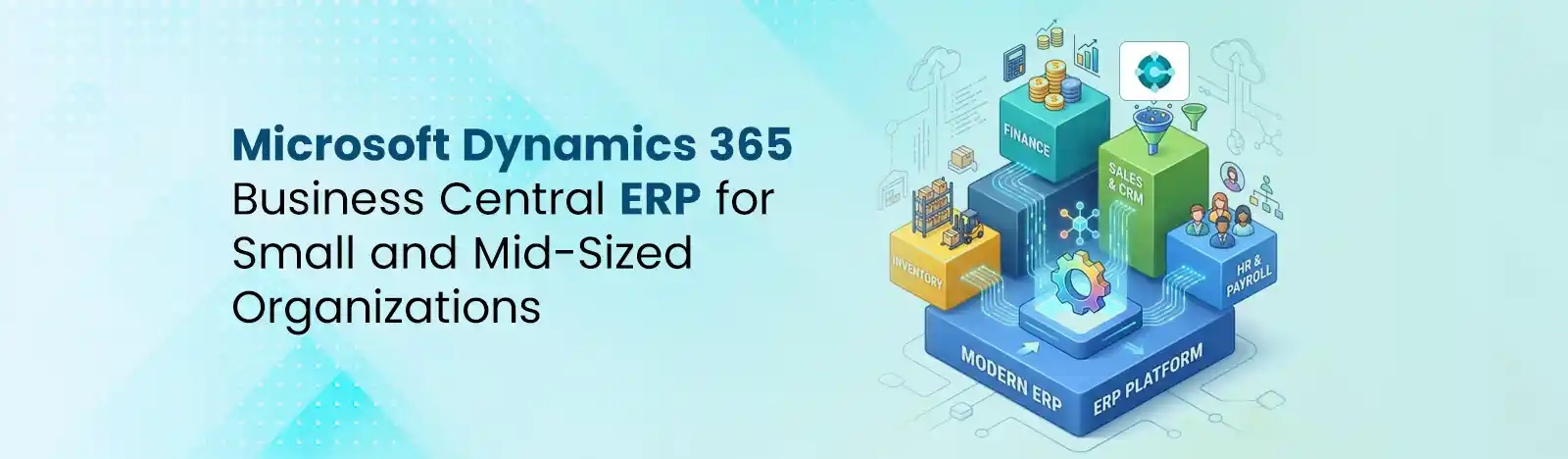
ERP systems have strategically moved from on-premise, legacy setups to cloud-based platforms. Today, features of AI in ERP include predictive analytics and forecasting, anomaly detection, ML, etc., that are transforming business operations. With this strategic change in working, Microsoft is also leaning towards automation. They are developing autonomous agents to scale operations and reduce reliance on manual effort.
Microsoft Dynamics 365 is a leading enterprise resource planning solution that is redefining automation. In this blog, we will learn how MS Dynamics 365 Business Central enables autonomous operations and benefits businesses.
Autonomous operations in Dynamics 365 Business Central are driven by intelligent engines and digital co-workers. These autonomous engines act on and learn business processes without human intervention. With autonomous operations, machines can do the work. It can handle unpredictable events. Automated workflows improve efficiency.
Modern ERP systems are not just restricted to data management and record-keeping systems. AI in ERP allows agent MS Dynamics 365 to manage the overall workflows. It can manage sales orders and process invoices, all without human intervention.
Microsoft has designed AI in Business Central capabilities to bring AI-powered and autonomous functionality into business operations. Instead of investing in multiple software, you can choose Business Central to manage multiple departments.
Business Central is driven by goal-oriented AI agents designed to operate independently. Here are the three pillars that back autonomous working in Business Central:
Perception: Agents or digital coworkers read emails, purchase orders, documents and data records on their own.
Reasoning: They apply business rules, compare information and datasets with existing records, and plan the next step.
Action: This pillar includes the execution step. From preparing orders to sending confirmation emails and posting invoices, tasks are automated within the decided permission limits.
Microsoft Dynamics 365 Business Central comes with two AI agents which can be deployed. First is the Sales Order agent, and second is the Payables agent. Microsoft has embedded Agent Designer for businesses that want to build custom agents using natural-language instructions.
Pre-built agents need minimal configuration. On the other hand, Agent Designer builds custom agents that can be customized as per document formats or other industry standards.
Traditional automation tools are based on fixed scripts and predefined rules or workflows. On the other hand, AI agents are adaptive and can manage, interpret, and make decisions to create a better, more productive business environment. Traditional automation works on rule-based scripts. AI agents are more adaptive, smarter and they can execute and customize everyday tasks.
Sales Order Agent helps Dynamics 365 Business Central users automate sales order creation. It automatically processes inbound customer orders, reads order details, captures sales orders, and checks inventory availability, without human intervention in standard transactions.
Payables Agents extract key data fields, match invoices to POs, and route documents through the approval process. It reads incoming vendor invoices (PDF attachments and structured emails) and routes them through the approval workflow within a couple of minutes. Microsoft Payables Agent improves based on data patterns fed into the Business Central environment.
Agent Designer allows Dynamics 365 users to define custom agent behavior using natural-language instructions. Agent Designer helps users build agents with drag-and-drop visual workflows, making it accessible even to non-technical users.
MS Dynamics 365 Business Central verifies logic, tests edge cases, and trains teams before deploying a custom agent to production. Business Central supports testing in sandbox environments.
Real-World Custom Agent Examples: Expense report agent (reads submitted expense claims), customer onboarding agent that creates customer cards, sets credit terms, and notifies the sales team, and more.
Business Central agents operate under a set of defined permissions. Administrators inform agents of the guidelines regarding which actions can be performed and which records they can read. For example, agents are not allowed to post transactions more than the set limitations.
Microsoft supports a human-in-the-loop model, which ensures that when agent encounter a glitch or issues with vendor record or PO, they send intimation through Business Central’s task queue or via email. This helps users avoid errors.
Faster Processing Cycle: From orders to invoices and transactions, everything is processed in jiffy. This improves cash flow and leads to better customer satisfaction.
Minimized Manual Workload: Day-to-day tasks such as record-keeping, data entry and creating sheets are handled through agents. This frees the employees and allows them to focus on the bigger side of the business.
Better Accuracy and Compliance: Business Central’s AI agents maintain audit trails automatically. This reduces human errors.
Better Decision-Making with Real-Time Insights: Because agents post transactions faster, financial data in Business Central reflects the actual state of the business in near real time, enabling sharper management decisions.
Choose a high-volume, well-defined process with clear inputs and outputs. Accounts payable or sales order processing are ideal starting points because they involve structured documents and well-understood business rules.
Work with your Business Central administrator to define what each agent can and cannot do. Set financial thresholds, approval escalation rules, and exception notification preferences before go-live.
Run the agent against representative transaction volumes in your sandbox environment. Monitor exception rates, false positives, and escalation patterns. Tune instructions and rules based on findings.
Track processing time per transaction, exception rate, straight-through processing rate, and hours saved per week. Compare baseline metrics before and after agent deployment to quantify ROI
| Section | Key Concept | Explanation | Business Impact |
| Copilot Credits Explained | Usage-Based Metering | AI agent activities (like reading documents, creating records, posting transactions) are measured using Copilot Credits, Microsoft’s unit for AI consumption. | Transparent cost tracking aligned directly with actual AI usage. |
| Prepaid Model | Predictable Spending | Organizations can purchase credits in advance for consistent, high-volume workloads. | Better budget control and cost predictability for mature deployments. |
| Pay-As-You-Go Model | Flexible Scaling | Pay only for what you use, making it ideal for pilots or variable workloads. | Lower upfront investment and reduced financial risk during early adoption. |
| Flexible Cost Models | Scalable Adoption | Designed to support everything from small-scale usage to enterprise-level automation handling millions of transactions. | Enables organizations to grow AI adoption without cost constraints or system changes. |
For using AI-powered ERP systems, you should make sure that the data-related details are accurate. A data quality audit before agent deployment is not optional. It is the foundation of successful autonomous operations.
Introducing agents does not eliminate jobs, but it does change them. Employees who previously processed invoices will shift to exception handling, quality review, and process improvement. Communicate this shift clearly, involve teams in configuration, and provide training on how to work alongside agents effectively.
Fully autonomous does not mean unmonitored. Establish a regular review cadence, weekly or monthly to audit agent activity logs, review exception patterns, and refine agent instructions. Autonomy works best when humans actively maintain it.
Microsoft has announced support for Model Context Protocol (MCP), an emerging standard that allows AI agents to communicate and coordinate across different systems and platforms. In the Business Central context, this means agents will eventually be able to orchestrate actions across Dynamics 365 apps, Microsoft 365, Azure services, and third-party platforms, all from a single agent definition.
Integrating AI in ERP can bring substantial benefits to your organization. It can improve overall business excellence by automating daily tasks such as data entry and analysis. Examples of AI-powered ERP systems are:
With 82% of leaders confident that they’ll use digital labor to expand capacity in the next 12-18 months, the breadth of what is possible with agents for ERP is vast.
Source: Microsoft
Beyond Key is a certified Microsoft Solutions partner (Business Applications, Data & AI – Azure) with a proven record in delivering end-to-end services for Microsoft D365 Business Central. Whether you need assessment, solution design, customization, implementation, or configuration, we are here to help. Beyond Key complies with industry standards:
Explore how Beyond Key is transforming the way enterprises leverage AI and automation to drive efficiency, accuracy, and growth.
Ready to implement an autonomous ERP in your organization? Connect with our experts to explore how Dynamics 365 Business Central can transform your operations.
Let us help you integrate AI capabilities into your Business Central.
1. Is AI in ERP safe for financial data?
AI in ERP systems like Dynamics 365 Business Central operates under strict security and compliance frameworks, ensuring data protection and controlled access.
2. How long does it take to implement autonomous agents?
Implementation timelines vary, but most organizations can start with pilot use cases (like invoice processing) within weeks.
3. What industries benefit most from AI in ERP?
Manufacturing, retail, healthcare, and finance see significant gains due to high transaction volumes and structured workflows.
4. Can AI agents be customized?
Yes, using Agent Designer, businesses can create tailored agents based on their specific workflows and document formats.