Is your organization struggling to manage finance, sales, production, warehousing, and other functions? As technology has evolved and AI has taken the lead, new business models are changing the work environment.
AI and Copilot, as an integral part of Business Central, introduce new ways to manage work and streamline operations. Copilot is your AI assistant. From helping you get answers quickly using natural language to anticipating business challenges and outcomes, it speeds up many day-to-day tasks.
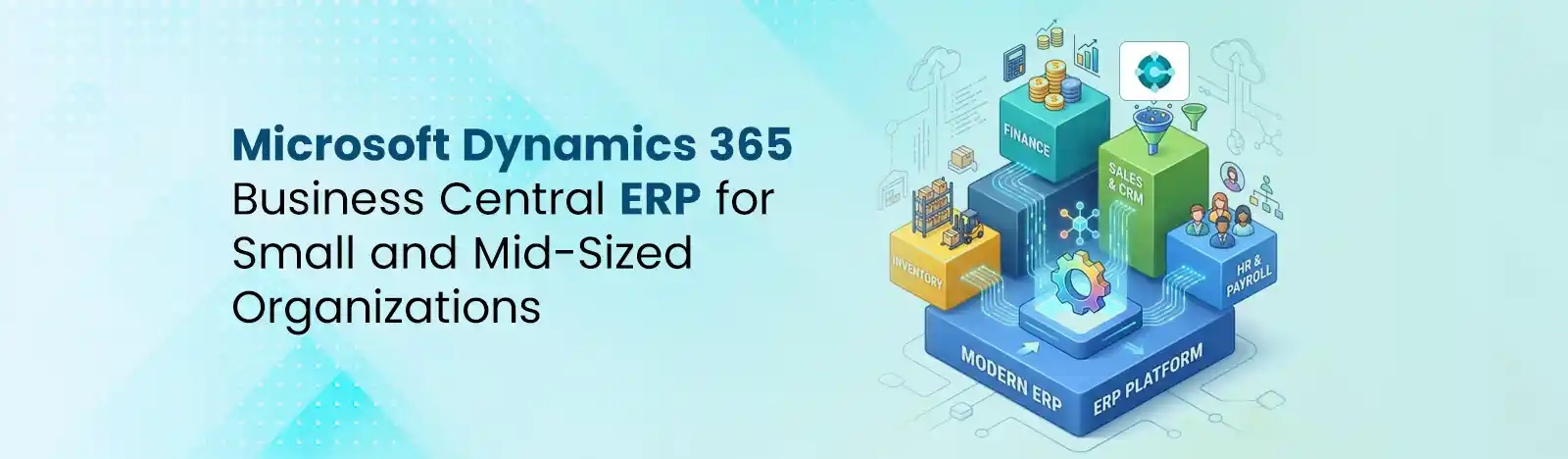
In this blog, we will read about how Microsoft Dynamics 365 Business Central features can manage and drive business operations. Let us read how this platform can uplift business growth potential.
Adoption & Market Presence (2026)
Source: 6Sense
Microsoft introduced the world’s first AI-powered assistant that can help businesses across all industries. The best part about Co-pilot in Business Central is that it does not require any complex configuration or AI training sessions for users to start working.
Co-pilot in Business Central helps organizations by monitoring delayed payments, auto-creating sales orders for teams, and identifying sales opportunities such as upselling, cross-selling, and replenishment based on purchase behavior. This helps reduce manual efforts.
Analyzing the company’s cash flow is paramount for monitoring its profitability and planning future endeavors. Business Central, powered by AI, can help organizations design cash flow analysis to maintain the financial health of their business.
Now you don’t need to manually merge incoming invoices with purchase orders. Copilot offers rule-based matching and assistance, and helps you compare and map incoming e-invoices with your orders.
Track all financial transactions centrally with customizable chart-of-accounts structures. Review or audit one or more entries in general ledger according to the given review policy.
Trusted by more than 50,000 organizations worldwide, Business Central supports global operations with multiple currencies and tax models. It allows the finance team to leverage multiple currencies for operations related to sales and purchase documents, bank transactions, General/Ledger transactions, and AR/AP payments.
From Budgeting and Fixed Assets to Bank Reconciliation, Copilot allows users to create departmental budgets, forecast expenses, and manage asset depreciation.
Businesses can manage regional tax compliance, GST calculations, and financial reporting more efficiently.
Teams can analyze financial data directly within Excel while leveraging advanced visualizations through Microsoft Power BI.
CFOs can monitor data in real-time with the help of live dashboards for revenue trends, cash flow, profitability, AR and expense analysis.
“With Business Central, we have centralized all of our operations, providing us with a single source of truth and one real-time business view.”
Julio Arevalo, HR manager at SNÖ Hotels
Source: Microsoft
Microsoft Business Central, powered by Copilot, helps the finance department generate reports to track balance sheets, cash flow, P&L statements, tax summaries, and more. The finance team does not have to rely on spreadsheets and manual reports.
Get insights into reports and deep dive into stock availability, inventory alignment, replenishment requirements, and item movements. Irrespective of how many warehouses do you operate, Dynamics 365 helps you monitor trends in real-time, irrespective of the location and time.
Leverage Copilot to evaluate sales profitability, customer purchasing behavior, procurement patterns, and vendor performance. You can check these through customizable reports and dashboards.
Business Central allows you to have real-time insights on order fulfillment rate, resource utilization, production efficiency, and overall warehouse performance.
Power BI helps organizations create customized dashboards. Being a robust data visualization tool, it features powerful data-related tools that can help users create reports, summaries, and sheets in real-time.
What data can be seen on dashboards?
Revenue Growth, Gross Margins, Inventory Turnover, Order Fulfillment Rates, Customer Profitability, Production Efficiency.
Dynamics users can use inventory management features such as multi-location tracking, item card setup etc. for enhanced inventory management in Microsoft Dynamics 365 Business Central. In this way, businesses can keep an eye on inventory levels, record and manage inventory on different bins Dynamics 365 offers inventory features such as barcode support, batch and serial number tracking, forecasting and real-time stock tracking.
Manufacturers want to invest in an ERP system that can provide real-time insights into resource management, inventory, cost control and production planning.
Dynamics 365 supports discrete and process manufacturers with creating, managing and scheduling production orders. It gives them the feature to track Bill of Material, manage production functions, labor activities, and machine performance and utilization.
Dynamics 365 helps organizations optimize supply chain operations by bringing data from inventory, sales, purchase, logistics, production and other departments into one system. Business Central features allow users to post item transactions (purchase/sales) in real-time. Users can specify costing methods, unit cost and price and other elements that can help in improving supply chain visibility.
Microsoft Dynamics 365 enables teams to execute projects successfully. It allows users to track material utilization costs, project costs, project replenishment, and add-on expenses, and manage workload requirements.
If you are someone who’s working in a complex warehousing environment, the warehouse management module in MS Dynamics Business Central can help you. From creating warehouse picks to grouping items/tasks and improving logistics, WMS features can streamline end-to-end warehouse operations.
Dynamics Business Central helps warehouse managers by monitoring: warehouse receipt and shipment, warehouse volume, warehouse pick and put-away, inventory pick and inventory put-aways, etc.
Creating and managing customer orders can be overwhelming. Dynamics Business Central takes the lead by allowing the sales team to describe the required goods, copy and paste the details in the relevant form, and suggest the items from the catalog. Copilot helps sales team to offer exceptional customer services. It helps users draft and automate workflows in Power Automate.
From tracking payment records to service details and purchase history, everything can be done by the ERP software.
With Business Central, you get seamless integration capabilities. Here are a few:
Microsoft 365 integration: If you are already using Microsoft suite, Business Central is a suitable pick. It connects tools such as Excel, Outlook, Teams, and allows users to work and integrate operations on Outlook.
Process automation: Users can create workflows through Power Automate. It can automatically trigger actions in Dynamics dashboard. Key integrations include AI-powered automation for sales orders/invoices, native connectivity with Teams and Outlook, and automatic synchronization with Dataverse for Dynamics 365 Sales
API Technology: Utilizes APIs for seamless integration, ensuring real-time data access and management. This ensures that users are always up to date with the data and can make timely, informed decisions.
Business Central’s capabilities are build for versatile industries including manufacturing, retail, wholesale and distribution, financial services, professional service companies and more. Known for its role-based access control, data encryption, and identity protection features, Business Central helps protect sensitive information and avoid unauthorized access to critical information.
Organizations are moving from legacy systems to Microsoft Dynamics 365 as it offers seamless integration with the M365 suite. This includes MS Teams, Outlook, Excel and more tools. Business Central is a user-friendly ERP software that enables remote work and real-time data insights for quicker decision-making. This helps organizations to focus more on high-value tasks that can boost profitability.
Briefly stating, organizations are moving to Business Central because of these reasons: scalability and flexibility, cost-effectiveness, security/compliance, integration with Microsoft tools, remote accessibility and AI-powered insights.
If you want to learn in detail about Business Central’s ERP suite, its cost, how much time it takes to roll out, and any other details, we are here to help. Speak with our ERP expert.
Beyond Key is a Microsoft Solutions Partner with more than 20 years of experience in serving global clients. With us, you get the most cost-effective Business Central licensing plan and seamless vertical-specific implementations. To learn more about our services, get in touch with us.
You can explore our case studies here and get to know how we helped leading organizations with D365 consulting services:
Dive deep to learn about our D365 implementation projects.
Dynamics 365 Consulting | Dynamics CRM Consulting Services | Beyond Key
1. What are the main features of Dynamics 365 Business Central?
The main features of Microsoft Dynamics 365 Business Central include:
2. Does Business Central include AI features?
Yes, Business Central includes AI features like forecasting, automation, and intelligent tools. It has Microsoft Copilot integrated for better efficiency and decision-making.
3. Can Business Central integrate with Microsoft tools?
Yes, Business Central integrates with tools like Microsoft 365, Microsoft Teams, Microsoft Power BI, and Microsoft Azure.
4. Is Business Central good for manufacturing companies?
Yes, Business Central is suitable for small and mid-sized manufacturers.