A data warehouse consolidates data from multiple systems into a single trusted view, and that only works if the data is trustworthy. According to a 2025 IBM Institute for Business Value report, 43% of chief operations officers cite data quality issues as their top data priority.
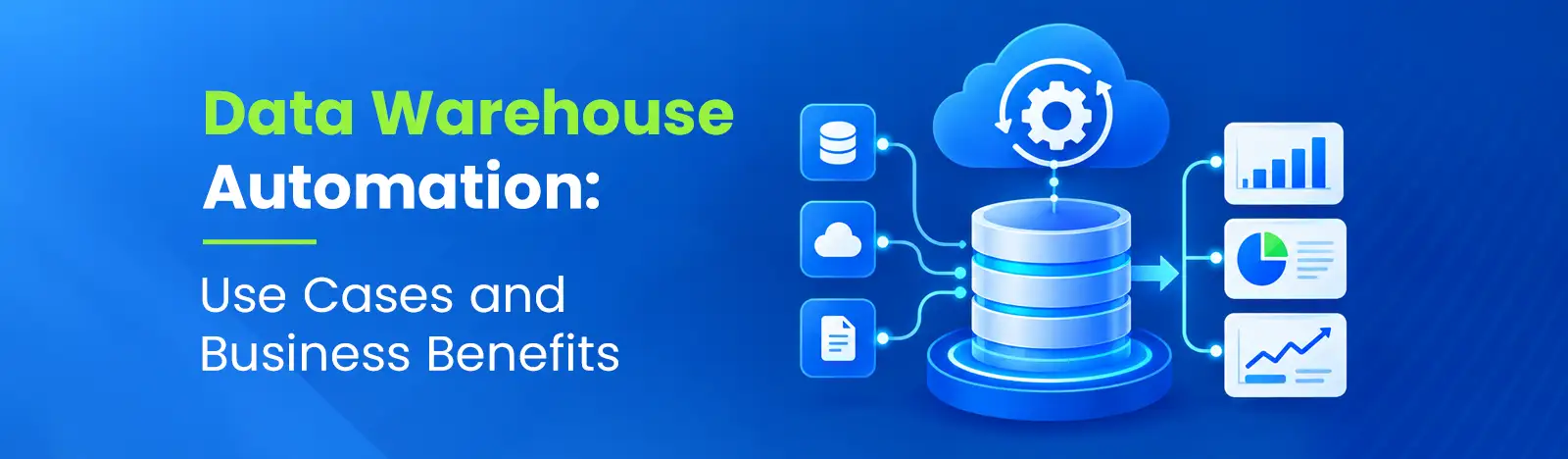
Many teams spend more time keeping their data warehouse running than using it to answer business questions. This burden is lifted by data warehouse automation. It uses common definitions to build and maintain warehouse code, freeing up engineers to work on more valuable tasks.
Data warehouse automation is the use of metadata, templates, and software tooling to automate repeatable tasks across the data warehouse lifecycle, such as modeling patterns, code generation, testing, deployment, documentation, and monitoring. Coverage varies by product and implementation, and people remain accountable for business rules, architecture, and security.
Several neighboring terms are easy to confuse, so it helps to state how they relate.
Data warehouse automation works by storing definitions of sources, models, mappings, and rules as metadata, then using templates to generate and run the code that implements them. When a definition changes, the code is regenerated and tested rather than rewritten by hand. A typical sequence looks like this:
1. Connect source systems and capture their metadata.
2. Define models, mappings, and business rules.
3. Generate warehouse structures and transformation code.
4. Test, deploy, and orchestrate the pipelines.
5. Monitor data quality and manage changes.
The process starts by reading structure from sources: tables, columns, data types, keys, and relationships. This technical metadata goes into a repository that later steps reuse. A good repository also records ownership, refresh expectations, and sensitivity classifications, because access controls and lineage depend on them. Automation can profile sources quickly, but it cannot tell you which of two conflicting customer tables is authoritative. That decision belongs to a data owner.
Here architects specify target structures and source-to-target mappings, which state how each source field populates each warehouse column. The right data warehouse architecture depends on reporting needs, source complexity, and refresh frequency. Whether the design is dimensional, normalized, or Data Vault, the automation layer encodes it as reusable patterns. Slowly changing dimensions (SCDs) are a good example. A rule such as keeping history when a customer’s region changes can be defined once as a pattern and applied to every dimension that needs it.
From the metadata and patterns, the tooling generates tables, load procedures, and transformation logic for the chosen platform. Generated code should implement incremental loading, which processes only new or changed records, and idempotent loads, meaning a rerun does not duplicate the business effect. It should also handle late-arriving records and deleted source records deliberately. Whether you can inspect, version, and modify the generated code is a major evaluation criterion, covered below.
Mature setups keep definitions and generated code in version control, run automated tests in a development environment, and promote changes through test and production with a documented rollback path. Orchestration then sequences loads, respects dependencies, and retries failures. Tests worth automating include row-count reconciliation against the source, uniqueness checks on business keys, freshness checks, and referential integrity between facts and dimensions.
After deployment, monitoring tracks job duration, failures, freshness, and rule violations. Change management matters just as much. Sources change without warning, so teams need a policy for schema drift (additive changes such as a new column) and for breaking changes (a dropped or retyped column). Additive changes may flow through automatically. Breaking changes should stop at a controlled review. Lineage and impact analysis show which reports a change would touch before it ships.
The main benefits of data warehouse automation are faster delivery, less repetitive engineering, more consistent data handling, better documentation, easier scaling, and potentially lower total cost of ownership. None of these is guaranteed, and each should be measured against a baseline, as described later.
When onboarding a source or changing a model means editing metadata and regenerating code, the cycle from request to report can shorten. The evidence on productivity comes with limits, though. A Forrester Consulting study, The Total Economic Impact of Building a Data Lakehouse on Google Cloud, was commissioned by Google (December 2025). Among 62 survey respondents at BigQuery and BigLake organizations who said developers had become more productive, the study reports a 33% developer productivity improvement. Read that narrowly. It concerns a broader data lakehouse implementation, not warehouse automation alone. It reflects respondents on one vendor’s platform, and Forrester’s financial model for a composite organization is a separate construct built on assumptions. It is not an industry average or a result any organization should expect.
Engineers spend considerable time on near-identical work: staging tables, audit columns, SCD logic, load scripts. Templates remove much of that effort, which can free time for modeling and quality work. The caveat is maintenance of the automation itself. Templates, metadata, and generated code need owners and updates just like hand-written code.
Applying the same checks to every pipeline reduces the gaps that appear when each developer writes validation differently. Gartner’s data quality page attributes an average annual cost of at least US$12.9 million from poor data quality to Gartner research from 2020. Treat that as historical context rather than a current-year measurement, and not as the cost of manual warehousing or a savings estimate for automation. Automation can enforce checks consistently, but it cannot fix incorrect business rules. If two departments define revenue differently, an automated pipeline will faithfully produce two answers.
When documentation is generated from the same metadata that generates the code, it is less likely to drift. Lineage, which traces a report figure back through transformations to its source, supports impact analysis and audit questions. Coverage is rarely complete, however. Custom code and external systems create gaps, so instead of assuming the whole, check the lineage on your most critical reports. Audit readiness isn’t just about documentation, but also control of access and change records.
Patterns scale better than hand-built jobs. Adding the fiftieth table to an existing pattern costs far less than building a bespoke pipeline. Cloud elasticity helps with variable workloads, but uncontrolled compute consumption is a real risk, so set resource limits, schedules, and cost alerts. Automation also does not guarantee real-time reporting. Freshness depends on source capabilities and the load method chosen.
Lower cost is plausible but not automatic. Reduced coding effort can be offset by licensing, migration, training, governance, and compute costs. Hours saved are also not cash saved unless capacity is actually redeployed or contracted. Compare total operating cost, including licenses and cloud consumption, against your baseline before claiming a saving.
These products are not all direct substitutes. Some automate the full design-to-operations flow, some focus on movement or transformation, and several are commonly combined in one architecture.
| Tool | Type | Best for | Watch out for |
| WhereScape | Full-lifecycle automation suite | Design-to-operations on supported platforms | Platform support varies by version |
| TimeXtender | Metadata-driven platform | Lean teams wanting low-code pipelines | Proprietary layer limits portability |
| Qlik Compose | Warehouse automation | Teams already using Qlik Replicate | Usually needs a landing-zone setup |
| Fabric Data Factory | Data movement and orchestration | Microsoft Fabric environments | Does not generate data models |
| Matillion | Cloud ELT platform | ELT on Snowflake, Databricks, Redshift | Limited warehouse list |
| dbt | Transformation framework | SQL teams with data already loaded | Not an ingestion tool |
Start with what already exists. Confirm that a tool supports your destination platform and your sources, including any need for change data capture. Then work through the questions below.
Then run a proof of concept before committing. Use one representative source, one meaningful transformation, a deliberate schema change, and a failed-load recovery test. The last two reveal more about a tool than a clean demonstration does.
The scenarios below are illustrative examples, not Beyond Key client results. Each names a measure to track against your own baseline.
Finance teams often close the books from several ERPs, a consolidation tool, and spreadsheets. Automation can standardize charts of accounts through mappings, load incrementally, and run reconciliation checks that compare warehouse totals to source ledgers. Useful measures are reconciliation exceptions per close and time until reports are ready. The main constraint is that mapping rules reflect accounting judgment, so finance must own them and approve changes.
Sales and marketing teams want campaign activity matched to opportunities and invoiced revenue, drawing on a CRM, an ad platform, a marketing tool, and ERP billing. Automation can schedule incremental loads, keep history of Owner and stage changes with SCD patterns and test key matches. Monitor CRM to revenue mapping data freshness and completeness. The constraint is identity resolution. If accounts do not have a shared key, then matching rules need to be carefully designed and reviewed.
A plant may combine machine or MES data, ERP inventory, and supplier feeds. Automation can land high-volume files incrementally and align units and item codes through mappings. Measure production-data latency and inventory discrepancies between systems. The constraint is source variety: shop-floor systems and older ERPs may offer limited change tracking, which narrows how fresh the data can be.
Retailers combine point-of-sale, e-commerce, inventory, and loyalty data. Automation can load transactions on a short cycle, handle late-arriving sales, and reconcile returns against original sales. Track stock visibility and returns reconciliation. The constraint is volume at peak periods, which makes compute limits and load design important.
Healthcare organizations may bring together electronic health record extracts, scheduling, and billing. Automation can apply standard mappings, conduct completeness checks, and log access events. Auditing access, freshness of reporting and completeness of tracks. Sensitive data should have least-privilege access, masking where appropriate, and review against applicable regulatory requirements such as HIPAA in the US. Automation can assist with these controls, but it does not, by itself, make compliance. It relies on policy, configuration and supervision.
IT teams often inherit hand-coded procedures that nobody wants to touch. Automation can inventory existing logic, regenerate it from patterns on a new platform, and put it under version control. Lead time for changes, pipeline failure rate and time to recover. The catch is legacy logic is often undocumented business rules, so migration must be validated against existing reports.
Data warehouse integration supports automation by supplying reliable, well-described data from source systems. Automation then governs what happens afterward: modeling, testing, deployment, and monitoring. Weak integration undermines everything downstream, whatever the tooling.
Each source type brings its own constraints: ERPs have complex schemas, CRMs have API rate limits, files arrive late or malformed, and legacy systems may offer only periodic extracts. Strong data integration consulting work starts by cataloging these differences, so extraction patterns, credentials, and error handling are defined per source before automation is layered on.
Batch loads move data on a schedule. Change data capture (CDC) reads a source’s change records so only inserts, updates, and deletes move. The choice depends on required freshness, source support, load on the source, complexity, and cost. Batch is simpler and often sufficient for daily reporting. CDC suits narrower freshness windows and captures deletes cleanly, but it adds operational complexity and depends on what the source exposes. Neither guarantees real-time reporting.
Plan for failure explicitly. Define whether a failed load rolls back or resumes, and design loads to be idempotent so reruns are safe. Decide how schema changes are detected and who approves breaking ones. Quarantine records that fail validation, and alert owners rather than silently dropping them.
Implementing automated data warehousing works best as phased delivery, not a single cutover. The steps below sit inside a broader data warehouse implementation plan covering testing, deployment, and ongoing support.
Map where data flows into reports and where engineers spend their time. Good candidates for automation are repeated manual steps, frequent failures, and slow onboarding. Get your baseline figures now, because you can’t show improvement later without them.
Tie the effort to outcomes such as faster source onboarding or fewer reconciliation exceptions. Name owners for business definitions and for the automation layer. Agree on metrics and baselines before tooling choices narrow the conversation.
Choose the platform, layering, and tooling pattern, then prove it on one high-value use case with the proof of concept described earlier. A narrow pilot exposes integration and skills issues cheaply.
Set naming conventions, modeling patterns, test requirements, and access rules before scaling. Our data warehousing best practices guide covers modeling standards, quality controls, and governance. Automation magnifies standards, good or bad.
Expand by domain, retire manual jobs only after parallel validation, and review metrics each phase. Adjust templates based on what failures and change requests reveal.
Automation shifts effort rather than removing it. The challenges below are the ones most likely to surprise teams.
Automation scales whatever rules it is given. If sources disagree or definitions are contested, resolve that through governance first. Otherwise, faster pipelines only deliver conflicting numbers sooner.
Templates are good for common patterns. Generated code often needs hand-written code to deal with unusual allocations, multi-step business logic and performance-critical transformations. That mix can create gaps in lineage and maintenance overhead. A lot of teams hire data engineering consultants to help with pipeline engineering and complex transformations.
Commercial tools may charge licensing fees and may tie you to a vendor’s metadata format. Open frameworks reduce license cost but may put more of the job on your team. Either way, someone must learn the tool, and skills gaps can erase expected productivity gains.
Automated pipelines still move sensitive data. Apply least-privilege access, protect credentials, log access, and review who can change automation definitions, because those changes change production behavior. Automation supports governance but does not replace accountable owners.
Beyond Key’s data warehouse consulting page describes services across assessment, design, implementation, modernization, and support, and states a platform-agnostic approach. We do not offer a proprietary warehouse automation product, and we select tooling to fit your environment. The areas below reflect services described on Beyond Key’s service pages.
We look at the current data infrastructure, needs and tooling to see where automation is appropriate and where it is not. Then we formulate a strategy for modeling, ETL processes and scalability.
We design warehouse architecture around your data flows, business objectives, and analytics requirements, so automation supports the reporting you actually need.
We help unify siloed systems, including ERPs, CRMs, and legacy tools, and work on automating data pipelines, integration, and data quality management.
Implementation support includes testing, deployment, optimization, and data governance frameworks addressing security and compliance.
For existing warehouses, we recommend upgrades to meet current requirements, support migration to cloud-based platforms, and provide ongoing support so reporting continues without disruption.
Data warehouse automation works best when it is treated as an engineering discipline, not a purchase. It can shorten delivery, reduce repetitive coding, make checks more consistent, and keep documentation current. It cannot settle disputed definitions, replace accountable owners, guarantee real-time data, or automatically lower cost. The practical path is to baseline today’s effort, pilot one priority use case with realistic failure tests, and expand once the metrics justify it.
If you would like to talk through your current architecture and identify one priority use case for automation, our data warehouse consulting services team is happy to start that conversation.