If you’re still running Dynamics AX, NAV, or GP, your ERP probably works fine. It closes the books, tracks your inventory, and your team knows it well. The problem is that Microsoft is moving all of its focus to Dynamics 365, and support for the older products is coming to an end. Staying on them gets riskier and more limiting every year.
This guide explains how Dynamics 365 is different from AX, NAV, and GP, what each older product becomes, and how to move over without disrupting your business.
Microsoft Dynamics 365 is a family of cloud business applications for finance, supply chain, sales, customer service, and operations. The apps share one data platform, so a customer, an order, and an invoice mean the same thing everywhere. Older Dynamics ERP products were installed, customized, and upgraded one server at a time.
The old model was one big ERP database, with everything else bolted on. Dynamics 365 flips that. You pick the applications you need, and they talk to each other through Microsoft Dataverse and standard APIs.
Microsoft’s own documentation notes that Dynamics 365 apps such as Sales, Customer Service, and Customer Insights run on Dataverse, the same data platform underneath Power Platform. That shared foundation is why a sales quote can become a finance invoice without anyone re-keying it.
You don’t buy “Dynamics 365” as one box. You choose the pieces that fit.
| Area | Application | What it does |
| ERP | Dynamics 365 Business Central | Finance, sales, inventory, purchasing, and light-to-mid manufacturing for small and midsize firms |
| ERP | Dynamics 365 Finance | Advanced financials, multi-entity, and compliance for large or complex organizations |
| ERP | Dynamics 365 Supply Chain Management | Planning, production, warehousing, and logistics at scale |
| ERP | Project Operations, Commerce, Human Resources | Project accounting, omnichannel retail, and workforce management |
| CRM | Dynamics 365 Sales | Pipeline, forecasting, and relationship management |
| CRM | Dynamics 365 Customer Service and Field Service | Case management, service agents, and technician scheduling |
| CRM | Customer Insights | Customer data, segmentation, and marketing journeys |
This is where the difference feels real day to day. Your people already live in Outlook, Teams, and Excel. Dynamics 365 meets them there instead of asking them to learn a separate system.
This integration layer matters most where finance, sales, and operations used to reconcile by spreadsheet. Beyond Key’s Dynamics 365 integration services exist for exactly that reason: the software is connected by design, but your data and processes still need careful mapping.
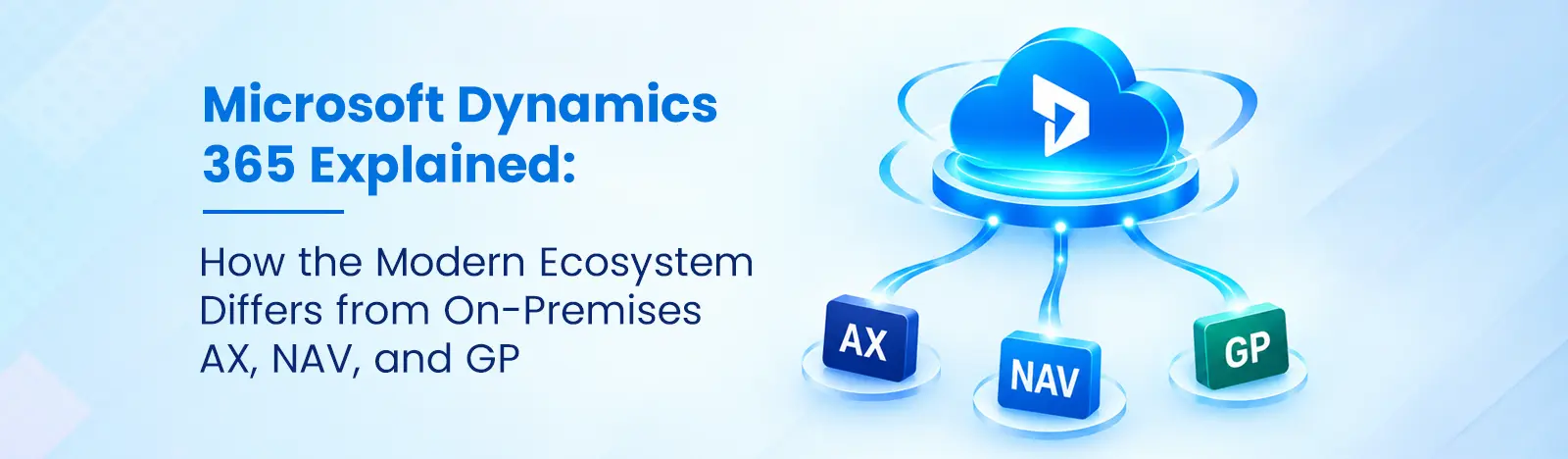
AX, NAV, and GP were Microsoft’s three main on-premises ERP products, each aimed at a different customer size and need. AX served large and complex enterprises, NAV served small and midsize businesses, and GP focused on financial and accounting management for growing companies. All three were installed on your own servers.
AX (originally Axapta) was built for multinational, multi-entity organizations with demanding manufacturing, distribution, and financial requirements. Its last major release, AX 2012 R3, is now out of support.
AX customers are generally pointed to Dynamics 365 Finance and Supply Chain Management, which evolved from the AX code line.
NAV (formerly Navision) was popular with distributors, manufacturers, and service firms that wanted flexibility without enterprise-scale complexity. It was heavily customized through its C/SIDE development environment, and that customization history is exactly what makes upgrades tricky today.
GP (formerly Great Plains) was known for strong accounting, payables, receivables, payroll, and inventory. Many controllers trusted it because the financial controls were solid and the reports were familiar.
Microsoft announced in September 2024 that product support and updates for GP end on December 31, 2029, with security patches through April 30, 2031. Microsoft’s guidance for most GP customers is Business Central.
The mapping is simple on paper, but the details matter.
| Legacy product | Typical customer | Common Dynamics 365 destination | Key point |
| Dynamics AX | Large, global, complex | Finance and Supply Chain Management | Code, data, and customizations need an upgrade or re-implementation |
| Dynamics NAV | Small to midsize | Business Central | C/SIDE customizations become AL extensions |
| Dynamics GP | Small to midsize, finance-led | Business Central | Account segments map to dimensions |
The biggest difference is architectural. AX, NAV, and GP are on-premises products you host, customize, and upgrade yourself. Dynamics 365 is a cloud service Microsoft updates continuously, with AI, Power Platform, and Microsoft 365 built in. Everything else in the table follows from that.
| Dimension | AX, NAV, and GP (on-premises) | Dynamics 365 (cloud) |
| Hosting | Your servers, SQL Server licenses, and backups | Microsoft’s cloud; no ERP servers to run |
| Updates | Manual upgrade projects, often years apart | Continuous, scheduled release waves |
| Customization | Deep code changes (X++, C/SIDE, Dexterity) that can block upgrades | Extensions (AL for Business Central, extensions in finance and operations) plus low-code |
| Integration | Custom connectors and point-to-point scripts | Dataverse, standard APIs, native Microsoft 365 and Power Platform links |
| Reporting | Built-in reports, SmartList, SSRS, or add-ons | Embedded Power BI and Excel connected to live data |
| AI and automation | Not retrofitted to legacy on-premises products, per Gartner | Copilot and agents inside the applications |
| Security and patching | You manage patching and infrastructure hardening | Microsoft manages the platform; you manage access and data governance |
| Cost model | Perpetual or enterprise licenses plus infrastructure and upgrade projects | Per-user subscription |
| Lifecycle | AX 2012 R3 ended; NAV and GP versions retiring through 2028 and 2029 | Modern lifecycle with ongoing servicing |
Want the Business Central versus Finance and Operations breakdown?
Read the Finance & Operations vs Business Central GuideThe main benefits are flexibility, shared visibility, AI-assisted workflows, simpler integration, and less infrastructure to manage.
On-premises ERP asks you to forecast your needs years ahead. You buy servers and licenses for the business you expect to be, then live with that guess. Cloud ERP works the other way. You add users, entities, or modules as the business changes, and you scale back just as easily if things shift.
Customization changes too. With legacy systems, tailoring meant editing core code, and that often made upgrades painful. In Dynamics 365, you extend the system instead of rewriting it. You keep the parts that make your business different, and you lose the upgrade blockers.
When finance, sales, and operations share one data model, you stop arguing about whose spreadsheet is right. A sales order, an invoice, and a shipment all point to the same customer record, so everyone is working from the same story.
Teams spend less time exporting, reconciling, and chasing numbers, and more time acting on them. Leaders can see what is happening while it is still useful, not after the month closes.
Copilot and Power Platform take over a lot of the repetitive work that eats up a finance or operations day. Copilot can summarize records, draft content, and answer questions about your data in plain language.
The real value is time. People spend less effort on data entry and chasing updates, and more on judgment calls, exceptions, and customers.
Dynamics 365 connects through Dataverse, APIs, Power Automate, and native Microsoft 365 links. Instead of rebuilding fragile point-to-point scripts, you use supported connectors. Beyond Key’s Dynamics 365 integration services focus on that mapping work: third-party connections, Power BI, Teams, and automated data flows.
No more server refresh cycles, SQL patching windows, or yearly upgrade projects eating your IT team’s calendar. Maintenance becomes a rhythm of release waves you test and schedule, which is easier to budget than a one-off upgrade.
Be realistic here. You still own configuration, data quality, user access, and regression testing of your extensions. Beyond Key’s Business Central support services exist because “managed by Microsoft” doesn’t mean “managed for you.”
Curious how Copilot fits into your Dynamics 365 setup?
Explore Dynamics 365 Copilot ServicesYou migrate by assessing your current system, choosing the target application, cleaning and mapping your data, rebuilding customizations as extensions, testing in parallel, and cutting over on a planned date. The path differs by product. AX usually moves to Finance and Supply Chain Management, while NAV and GP usually move to Business Central.
AX 2012 code and metadata move through Microsoft’s upgrade tooling, which Microsoft documents as the “Migrate and Create Solutions” methodology. For AX 2009, Microsoft states the Data Migration Tool is the only supported upgrade path.
Microsoft also offers a no-charge migration assessment through its Dynamics 365 Migration Program. Use it. It gives you a baseline before you spend on a partner.
Business Central is the natural successor to NAV. Older versions can’t jump straight to the cloud. NAV versions before Business Central 14 need a staged upgrade first.
Customizations are the real work. C/SIDE code is rebuilt as AL extensions, and third-party add-ons are checked for Business Central equivalents.
Beyond Key’s NAV to Business Central migration page describes its approach, and its blog on transitioning from Dynamics NAV to Business Central covers the hidden costs of staying put, like server replacement cycles.
GP data moves to Business Central online with Microsoft’s cloud migration tools. Per Microsoft’s migration documentation, the main account segment maps to the Business Central account number, and the remaining segments become dimensions.
Two details save headaches. Years marked historical in GP arrive in Business Central as open and must be closed there. And you choose the oldest historical year to migrate, so decide how much history auditors actually need.
A global industrial manufacturer with plants in North America and Europe had outgrown a 10-year-old GP system. See how Beyond Key moved it to Business Central.
1. Assess. Inventory modules, customizations, integrations, reports, and data volumes. Note which versions you run and when support ends.
2. Choose the target. Business Central or Finance and Supply Chain Management, with CRM applications added if sales and service need to connect.
3. Clean the data. Archive dead vendors, stale items, and old customers before migration. Migrating mess just relocates it.
4. Rebuild the right customizations. Keep what creates advantage. Replace the rest with standard features or AppSource apps.
5. Configure and integrate. Set up posting groups, dimensions, workflows, security roles, and connections to other systems.
6. Test in parallel. Run real transactions in a sandbox and reconcile against the old system before anyone depends on the new one.
7. Train by role. Your AP clerk and your CFO need different training.
8. Cut over and stabilize. Time go-live away from quarter-end, and keep support close through the first close.
Beyond Key is a Microsoft Solutions Partner that covers the full Dynamics 365 journey: ERP and CRM implementation, NAV, GP, and AX modernization, integration, Power BI reporting, and ongoing support. You get one team for the project and the years after it, rather than a hand-off between vendors.
Here’s what that looks like in practice, based on what Beyond Key publishes about its own work:
The client was an industrial equipment manufacturer with plants in North America and Europe and over 10 years on Dynamics GP. Its challenges were typical of aging on-premises ERP:
Beyond Key migrated the company to Dynamics 365 Business Central, giving it stronger financial tools, real-time reporting, supply chain automation, and support for multinational operations. The full results sit behind a download form on the case study page, so we haven’t quoted metrics here.
Get the full story of how a multi-plant manufacturer left GP behind, from challenges to the solution Beyond Key delivered.
Choose Business Central if you’re a small or midsize business that wants a unified, faster-to-deploy ERP. Choose Finance and Supply Chain Management if you run large, complex, multi-entity or global operations. Add CRM applications when sales and service need the same customer data as finance. Company size is a hint, not a rule. Complexity decides.
Business Central fits when:
This is the stronger fit when:
Combine them when quote-to-cash is where the friction lives. If sales promises one price, finance invoices another, and service can’t see either, a shared data foundation helps. Pair Business Central or Finance with Sales, Customer Service, or Field Service, and connect them through Dataverse.
A good partner earns trust before the contract. Ask for:
1. Relevant certifications. Microsoft Solutions Partner status and certified consultants for your specific application.
2. Migration references. Examples from your legacy product (AX, NAV, or GP) and your industry, ideally with a named case study.
3. A written approach. Assessment, data mapping, customization strategy, testing, training, and go-live support, with clear owners.
4. Honest scoping. A partner who tells you what to retire, not just what to rebuild.
5. Post-go-live support. Who answers the phone during your first close, and in your time zone?
6. Pricing clarity. Fixed-scope options where possible, with assumptions stated.
Dynamics 365 isn’t just a newer version of AX, NAV, or GP. It’s a different model: cloud-hosted, continuously updated, connected to Microsoft 365 and Power Platform, and increasingly AI-assisted. AX customers generally head to Finance and Supply Chain Management. NAV and GP customers generally head to Business Central. The right answer still depends on your complexity, customizations, and timeline.